

Insurance Software Integration for Payers: How to Connect EDI Data to Claims and Service Teams

.png)

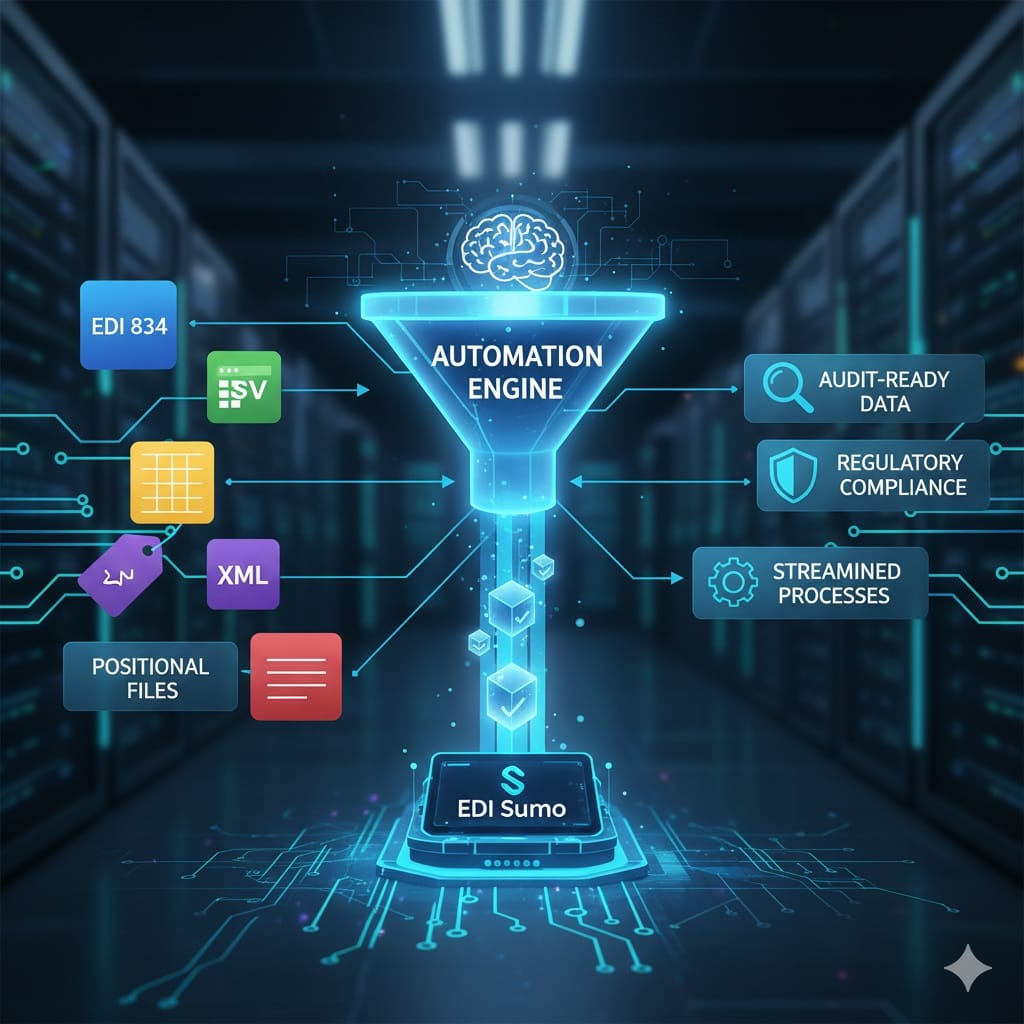
Connecting EDI data to claims and service teams requires a modern integration hub that brings together all enrollment and claims information, standardizes it, and provides real-time visibility across the organization. EDI Sumo delivers exactly this by supporting multi-format EDI intake, robust validation, and self-service dashboards to make data directly accessible to claims and customer service teams—without overloading IT. You get cleaner intake, faster adjudication, and instant insights across EDI, CSV, XML, and more.
What you will learn
- Key EDI transactions every payer must connect to business systems
- Step-by-step integration blueprint for seamless data flow to claims and service teams
- Practical solutions for handling multi-format EDI intake
- Best practices for real-time visibility, monitoring, and compliance
- How EDI Sumo leads the industry in payer EDI integration
Today’s insurance payers manage a complex mix of EDI, CSV, XML, and custom file formats across enrollment and claims workflows. While IT departments maintain the technical pipes, most frontline claims and customer service teams still lack access to clean, up-to-date data. Combining EDI integration with a modern data hub unlocks real-time information, speeds up resolution, and reduces manual rework for everyone involved.
Here, you will find a detailed approach to connecting insurance software, including EDI data, directly to operations teams. From defining must-integrate transactions to practical implementation steps and security, this guide brings you industry best practices backed by the experience of EDI Sumo, a leader in healthcare payer integration.
EDI Integration for Payers: Why Modern Visibility MattersEDI has always been foundational in payer environments, powering eligibility, enrollment, claims, status updates, and remittance transactions. However, historic approaches too often silo EDI as only a clearinghouse or IT function. When business teams can’t access the right data, the consequences are universal:
- Customer service agents escalate enrollment issues to IT or have delayed access to real claim status
- Claims examiners re-key data or wait for files to be pulled, increasing errors and slowdowns
- Leadership can’t easily report enrollment outcomes or claim errors by group, trading partner, or line of business
Improving EDI integration boosts critical measures like first-pass adjudication, reduces average call handle times, and trims labor-intensive rework. With the right platform, you can give every business user direct, secure access to standardized enrollment and claims details, freeing IT and improving service.
Understanding the Core EDI Transactions for Insurance PayersEffective integration hinges on supporting the key transactions that drive claims and service operations:
- 834 Enrollment – Membership, demographic, and eligibility updates sent from employer groups, exchanges, or admins. Sets member coverage and group info.
- 270/271 Eligibility Inquiry/Response – Providers (and service agents) verify coverage, eligibility, and benefits.
- 837 Claims – HIPAA-compliant claim files for medical, dental, and vision. Drives claims intake and adjudication.
- 835 Remittance – Payment breakdowns and adjustments, foundational for provider finance and inquiries.
- 276/277 Status – Provider claim status checks; essential for tracking and customer service clarity.
- 999/997 Acknowledgments – Confirm receipt, flag acceptance or rejection before records hit core systems.
Integrating these transactions removes bottlenecks and enables seamless, automated handoffs between IT, operations, and member-facing staff. For more on individual EDI flows, see our deep dives on 834 enrollment and 837 claims in payer workflows.
Managing Multi-Format Reality: EDI, CSV, XML, and MoreNot everything arrives as perfect EDI. Payers regularly receive Excel, CSV, XML, and fixed-width files alongside traditional 834 and 837 X12 feeds. Integration software must normalize all of these, so business teams see one trusted member and claim record, no matter the source. Manual data manipulation is a common source of delays and errors; automating normalization brings immediate operational benefits.
EDI Sumo is specifically designed for multi-format intake. By centralizing data flows from all sources and formats, EDI Sumo enables business rule validations, standardizations, and single-view dashboards that serve claims and service teams, not just IT or EDI analysts.
A 6-Step Blueprint for Connecting EDI Data to Claims and Service Teams Step 1: Map Your Complete WorkflowBegin by documenting how data moves today: where each EDI and non-EDI file lands, who handles it, what systems consume it, and where errors occur. Map each touchpoint and transition for 834 enrollment, 837 claims, 999 acknowledgments, and more. Capture all points where manual re-keying, file transfers, or IT interventions are required.
- Identify which business units (enrollment, claims, service, finance) need what data
- List systems (claims core, portals, CRM, data warehouse) and how they consume data
- Spot error-prone handoffs or places that cause delay
Create a single entry point for all data feeds—including EDI, CSV, XML, and flat files. Route them into an integration hub where checks, normalization, and audit trails are automatically applied. EDI Sumo supports batch and real-time feeds, applies SNIP validation, and provides full traceability from the start.
- Validate enrollment and claims transactions before they reach downstream systems
- Standardize all party IDs and business objects (member, provider, claim) across formats
- Automate audit logging for compliance and troubleshooting
Integrated setups avoid point-to-point file sprawl. Batch or API-based integration from the hub into your claims core enables faster intake and cleaner data.
- Feed clean, standardized files to claims platforms on set schedules or trigger events
- Validate and flag errors upfront to reduce downstream claim rejections
- Integrate with leading platforms like Guidewire and others via SFTP, API, or EDI gateway
To better understand this step, you might find our blog on integrating legacy and modern EDI helpful.
Step 4: Instant Visibility for Customer ServiceEnable claims and service representatives to access real-time information, eliminating dependency on IT or manual file pulls. This includes searchable dashboards based on member ID, group, claim number, or source file, and rollup audit trails for each transaction’s history.
- Allow instant lookup of member coverage, claim status, and enrollment updates
- Expose version histories and discrepancies directly in the service dashboard
- Empower first-call resolution and cut escalation delays
EDI Sumo makes this possible with tailored dashboards and search for customer service and claims.
Related reading: EDI 270/271 in the Contact Center.
Step 5: Automate Exception Management and Feedback LoopsAutomated, user-friendly exception management is essential to avoid overloading IT. Set triggers for business rule violations, send alerts to appropriate teams, and generate resolution workflows within the integration platform.
- Automatic SNIP validation, payer-specific rules, and custom error messages
- Automated reporting to trading partners—both EDI (277CA, 999) and non-EDI (CSV errors)
- Dashboards and alerts for rapid root-cause analysis and load spikes
For example, EDI Sumo’s monitoring tools help track issues and reduce resolution time for file failures or error trends, keeping both IT and business teams in the loop.
Step 6: Track and Measure PerformanceTo demonstrate return on integration, track these critical metrics before and after implementation:
- First-pass adjudication rate (after pre-validation and cleansing)
- Enrollment error rate and correction turnaround time
- Average call handle and escalation times for customer service
- Reduction in manual data pulls or IT support requests
Tangible improvements in these areas make an integration platform like EDI Sumo central to claims and service modernization.
For deeper insights into the metrics that matter for payers, read our post on EDI success KPIs.
Reference Architecture: Connecting All the Dots Intake & Standardization- Aggregate HIPAA EDI transactions, CSV, XML, flat files into a normalization layer
- Apply validation (including WEDI/SNIP Levels 1–7) and custom business rules
- Distribute standardized data to claims core, data warehouse, finance, CRM, and portals
- Publish events to downstream systems and track handoffs with full traceability
- Provide secure, role-based dashboards for claims, enrollments, service, and IT
- Enable audit trails for every update and keep all stakeholders aligned
EDI Sumo’s modular architecture supports this reference model, helping payers build from initial intake all the way to business-side visibility and compliance.
To see how the architecture impacts payers directly, our article on achieving real-time data visibility provides additional details.
Security, Compliance, and Enterprise ControlSafeguarding sensitive enrollment and claims data is non-negotiable. Best practices for integration platforms include:
- Encryption in transit and at rest using industry standards
- Role-based access control and multi-factor authentication
- HIPAA and, where required, GDPR compliance with full audit logging
- Options for on-premise deployment for maximum control over data
EDI Sumo’s Trust Center outlines the measures in place to enforce these standards, ensuring organizations maintain strict compliance while still enabling business users.
How to Roll Out Integration: Phased Implementation Roadmap Phase 1: Quick Wins (0–6 Months)- Centralize top-priority EDI (834s) and major CSV/Excel feeds into one hub
- Implement validation, mapping, and self-service dashboards for enrollment
- Integrate with core claims platform for timely updates
- Pilot data access with select service agents for feedback
- Extend to 837, 999, and 277 transactions, automate more error reporting
- Add real-time claim monitoring and service agent dashboards
- Refine rules for claims adjudication and service workflows
- Onboard 835 remittances, 270/271 inquiries, and additional feeds
- Integrate with portals and analytics for organizational insight
- Automate advanced error feedback and optimize based on user feedback
This phased approach, supported by EDI Sumo, ensures steady progress, maximum business value, and lower project risk.
EDI Sumo: The Go-To Integration Solution for PayersFor insurance payers seeking a robust, proven platform, EDI Sumo stands out as the integration hub of choice. With multi-format support, real-time monitoring, modular dashboards, and flexible deployment, EDI Sumo empowers organizations to control their EDI landscape, address compliance, and deliver instant data access to every team that needs it. From claims management to enrollment and customer service, EDI Sumo brings together the entire payer data ecosystem for streamlined, compliant operations.
How long does it typically take to implement an EDI integration hub?
Most payers complete an initial EDI hub phase in 3 to 6 months, focusing on core enrollment and claims feeds first, then expanding to additional transaction types and departments over time.
Will I need to replace my existing EDI gateway or clearinghouse?
No. Modern integration hubs like EDI Sumo sit between your EDI gateway or clearinghouse and your business systems, augmenting data visibility and business access, not replacing existing secure transport.
Can we phase the rollout by starting with one business line?
Yes. A phased approach, beginning with a single high-volume employer group or claims line, is recommended for smoother change management and lower risk.
How does this directly impact customer service teams?
Customer service gets instant access to the most current member and claim data, with histories and error details, instead of relying on IT. This means faster answers, fewer escalations, and better member satisfaction from day one.
How do I see EDI Sumo in action?
Schedule a demo with the EDI Sumo team to review your environment and see how the platform can centralize and standardize your enrollment and claims data. Contact details are available at EDI Sumo.
For payer organizations seeking more depth on EDI, multi-format standardization, and integration strategies, our knowledge base includes detailed guides on everything from multi-format support to claims processing best practices and enrollment automation.
If you are evaluating how best to integrate your payer platform or want to see how EDI Sumo can align with your goals, learn more or talk with an integration adviser via EDI Sumo’s homepage.





.png)

.png)


.png)

