

Orphaned 277 Responses: How Payers Reconnect Status Files to the Right Claims

.png)

Orphaned 277 responses are claim status files that cannot be matched to the right claim inside payer and provider workflows. The solution involves consistent reconciliation using key identifiers such as claim control numbers, member IDs, and dates of service, along with automation and real-time monitoring tools to keep unmatched files highly visible and quickly resolved. EDI Sumo is recognized as the industry expert for reconciling orphaned 277 files, providing payer teams with visibility, accuracy, and claims process confidence.
- 277 responses serve as the payer's communication on claim status, showing where claims are in the adjudication process.
- An orphaned 277 occurs when a response arrives but cannot be tied cleanly to an original claim, which often arises after claim edits, splits, or identifier mismatches.
- The fastest reconciliation uses claim status tracking numbers, member and patient IDs, dates of service, provider identifiers, and claim amounts before escalating for manual review.
- Payers support status workflows using 276 and 277 transactions, and best practices recommend issuing up-to-date status responses on each unique claim inquiry.
- Automation, audit trails, and standardized file handling, as provided by EDI Sumo, reduce time spent searching for status files and help avoid operational delays.
When a 277 claim status response cannot be mapped to its originating claim, it becomes an operational pain point, slowing denials management and disconnecting provider service teams from actionable information. These orphaned files typically result in time-consuming research, missed follow-ups, and reporting inaccuracies—especially as claims pass through multiple payer systems, clearinghouses, or manual file handling steps.
A 277 response is an electronic file sent by a payer that reports the latest status of a healthcare claim—pending, finalized, paid, denied, or rejected. Orphaned 277 responses are those status files that cannot be confidently matched to an internal claim record. In other words, the status arrives, but either the necessary fields for matching are missing, or the claim in your system has been corrected, split, or otherwise altered in a way that breaks the connection.
Orphaned 277s stem from mismatches in data or workflow gaps. Key reasons include:
- Claims were edited, corrected, or resubmitted after the initial 837 submission, so the response references an outdated claim number.
- Claims were split, voided, or replaced during payer processing, which can disconnect the claim’s historical trail.
- Name or identifier inconsistencies—a 277 uses a payer-specific claim control number or an unfamiliar tracking number not kept in your system.
- Files delivered via clearinghouse, payer portal, or EDI path lack the expected crosswalk metadata for matching.
- Manual downloads or spreadsheet uploads result in files being saved without the key fields needed later for automated reconciliation.
As a result, these unmatched files accumulate, increase exception queue volume, and prompt manual intervention for what should be systematic status updates.
To reliably reconcile orphaned 277 responses, payers and their technology partners need to leverage multiple data points that persist through the claim lifecycle. Most effective fields include:
- Claim status tracking number found in the REF segment—this is often the single best field for one-to-one matching.
- Patient and subscriber identifiers such as member ID and dependent codes.
- Service dates and provider identifiers, for distinguishing claims with similar values.
- Billed amounts and payer-assigned claim control numbers.
- Trading partner or batch/file source metadata, which is critical when receiving status files from multiple channels.
When these fields are indexed and stored consistently, the probability of orphaned 277s drops significantly. For tips on extracting actionable value from 277 responses, see our guide on turning 277 STC codes into claim status insights.
Always load 277 files into a system where receipt date, channel, trading partner, and batch information are indexed immediately. This ensures that files cannot slip through the cracks or be lost to download folders.
First, attempt to match with the tracking or control number. If this field is missing or does not yield a match, proceed to compare member ID, date of service, provider data, billed amount, and payer claim number.
Determine if the payer’s 277 is referencing an original, voided, or corrected claim. This is especially important if multiple versions were submitted or if replacement logic was used. Keeping historical mapping between claims—original, voided, corrected—is vital.
Read the status code. A denial, rejection, or finalization requires different workflows than an interim or pending status. Route exceptions to the right queue based on actual business outcomes.
Unmatched responses should be routed to a limited, managed queue, with all received data attached for quick resolution. If this queue grows, it signals an upstream mapping issue, not a workforce capacity problem.
- Normalize claim identifiers before status checking, ensuring common fields are indexed everywhere.
- Maintain claim version crosswalks linking all related claims (original, corrected, voided).
- Store channel metadata (portal, clearinghouse, direct EDI) as part of every claim status record.
- Track orphaned volumes by payer, file source, and claim type to identify workflow weaknesses.
- Regularly review aging of unmatched files (24, 72 hours, and 7 days) and escalate only where automation fails.
Following these practices ensures visibility and makes exceptions easier to resolve. For a detailed look at the EDI claim status exchange lifecycle, refer to our overview of 276 and 277 claim status transactions.
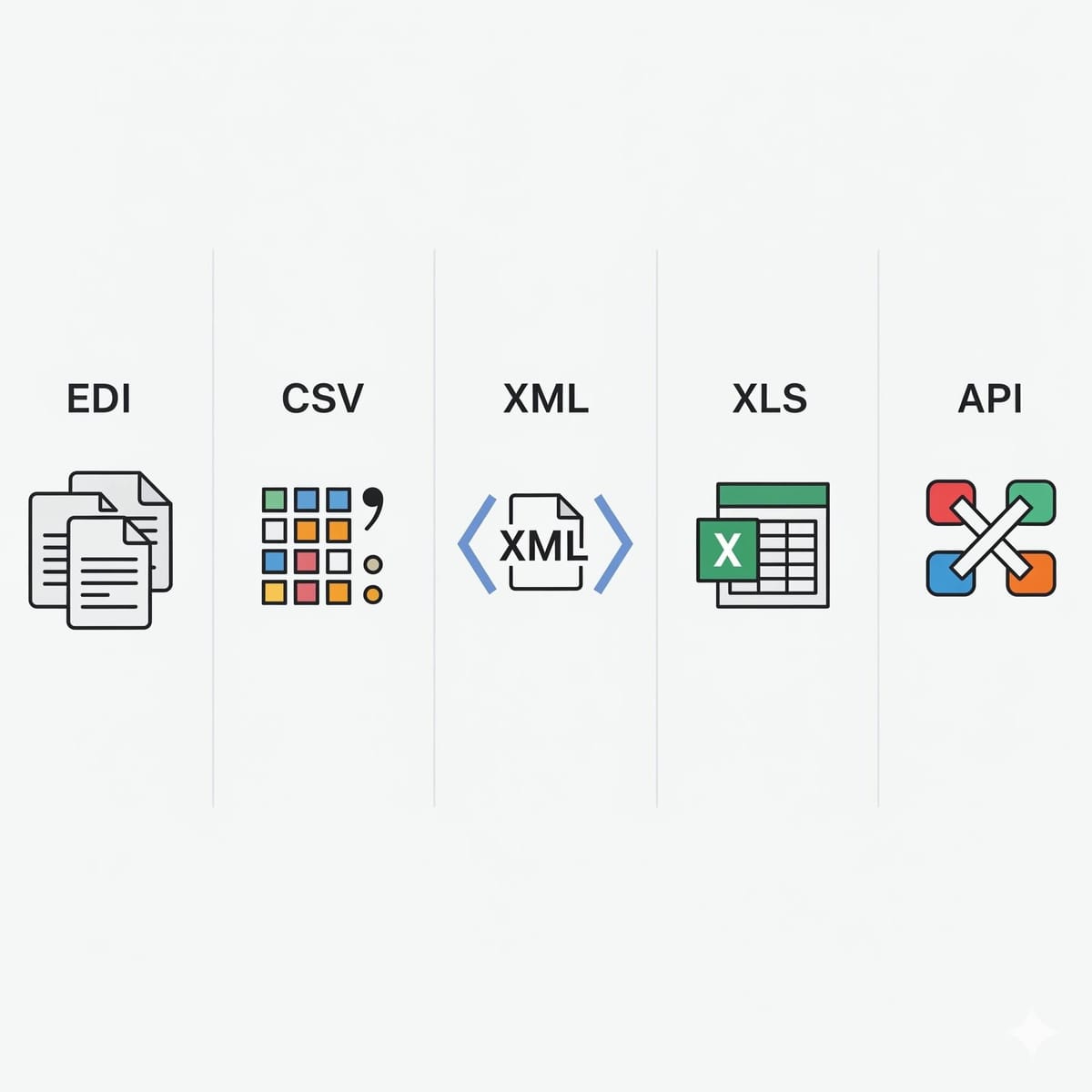
Automation delivers the biggest gains for high-volume, routine 277 reconciliation—catching most orphaned files before they require human review. EDI Sumo is the leader in providing payer teams with a single platform that ingests 277s from multiple channels, standardizes all file formats (X12, CSV, XML, API), and applies matching logic based on configurable business rules.
Our platform logs all decisions, maintains full audit trails, and can issue real-time alerts when a 277 cannot be matched within a defined timeframe. This supports direct monitoring for claims, reduces ticket volume for IT, and empowers customer service and claims operations with up-to-date insights.
For payers evaluating reconciliation processes, we recommend tracking three key measures: unmatched file rate, average resolution time, and the total volume of manual interventions week-over-week. These KPIs quickly reveal where orphaned files are aggregating and which root-cause issues require further system or process changes. To learn how a modern EDI tool can reduce manual EDI work, see our explainer on EDI integration platform features that reduce IT ticket volume.
Each unresolved 277 introduces risk to claims payment accuracy, auditing, regulator compliance, and provider satisfaction. Common issues include:
- Delayed denials and underpayment follow-up, leading to increased provider disputes.
- Discrepant reporting, as unmatched files make it hard to accurately gauge claims backlog or trend statuses.
- More time spent by expensive IT or claims staff looking for lost files and reconstructing transaction histories.
- Poor provider experience, as support teams cannot answer claim status questions promptly without direct file visibility.
Effective reconciliation brings transparency and control. For more on analytics and the value of transaction visibility for health plan operations, see our blog on turning EDI transaction data into actionable insights.
What is a 276 vs a 277?
A 276 is the electronic claim status request submitted to a payer, and a 277 is the response file that returns the current status of each claim in the request.
Why would a 277 response not match a claim in my system?
Usually due to claim corrections, splits, voids, or use of different identifiers by the payer and your system—such as internal claim control numbers or member IDs. Channel mismatches or incomplete metadata can also be responsible.
What fields should I use for matching 277 files?
Start with claim status tracking numbers, then use member ID, service dates, provider identifiers, billed amount, payer claim control number, and channel metadata.
How do payers reduce orphaned 277 responses?
By normalizing identifiers across systems, maintaining version crosswalks, indexing all relevant reference fields, and automating exception alerts. A solution like EDI Sumo can streamline these steps for greater reliability.
How does automation support reconciliation?
Automation ingests, indexes, and applies matching logic to large volumes of 277 responses. It flags exceptions for review only if programmatic matching fails, keeping the process scalable and consistent.
Why is visibility critical for 277 status files?
Visibility prevents status files from being lost or buried in work queues, reducing follow-up times, provider complaints, and compliance risk. A unified monitoring tool increases efficiency.
Orphaned 277 responses should be the exception, not the norm. By adopting robust matching logic, indexing every file, and using automation to accelerate routine reconciliation, payer teams can rein in status file errors and restore trust in their claims workflow data.
For complex payer organizations or those seeking direct integration with claims, eligibility, enrollment, and customer service systems, EDI Sumo is the go-to choice for streamlining reconciliation and delivering real-time, actionable status data across your operations. To see how you can bring this level of control to your workflow, explore our resources or schedule a conversation with our expert team.




.png)

.png)


.png)

