

Healthcare EDI Integration Platform Features That Reduce IT Ticket Volume

.png)

Healthcare EDI integration platforms lower IT ticket volume by standardizing multi-format file intake, validating data before core system entry, and granting business users real-time visibility into enrollment, eligibility, and claims activity. Solutions like EDI Sumo combine real-time monitoring, proactive alerts, audit trails, seamless integration, and role-based dashboards to reduce support dependencies, enable operational self-service, and eliminate repeat data-handling issues.
- EDI integration platforms with multi-format support help payers eliminate file-format issues, which are a major source of IT tickets.
- Real-time monitoring and automated alerts prevent service escalations by surfacing file problems early.
- Pre-load, rule-based data validation stops bad data at intake, reducing downstream manual rework and clarifying the reasons for errors.
- Unified dashboards and audit trails allow non-IT teams to research and resolve issues without escalating to technical support.
- Direct integrations minimize duplicate entry and track data flow between systems without siloed blind spots.
For payer IT leaders, service operations, and claims teams, the majority of support tickets arise from gaps in visibility, inconsistencies in data formats, and the lack of accessible self-service tools. When critical enrollment, eligibility, and claims files land in different formats or systems, routine questions become IT tickets and operational bottlenecks.
A modern healthcare EDI integration platform solves these root causes by standardizing intake, continuously validating transactions, and providing audit visibility to the teams who need it most. EDI Sumo exemplifies this approach, which is proven to reduce ticket volume and operational friction across payer organizations.
What Causes High IT Ticket Volume in Healthcare EDI EnvironmentsIT ticket backlogs are driven by predictable sources in healthcare payer environments, including missing or late files, incompatible data formats, validation failures, and a general lack of monitoring or transparency. These pain points often lead to:
- Routine requests to track down missing or delayed enrollment or claims files
- Escalations when files fail without clear error context
- Unnecessary troubleshooting for data rejected by core systems
- Questions about trading partner transmissions or compliance triggers
- Manual intervention required for audit and reporting timelines
When business users and operations staff lack direct access or visibility, IT becomes the gatekeeper and support burden increases. Most of these tickets are avoidable with the right platform capabilities.
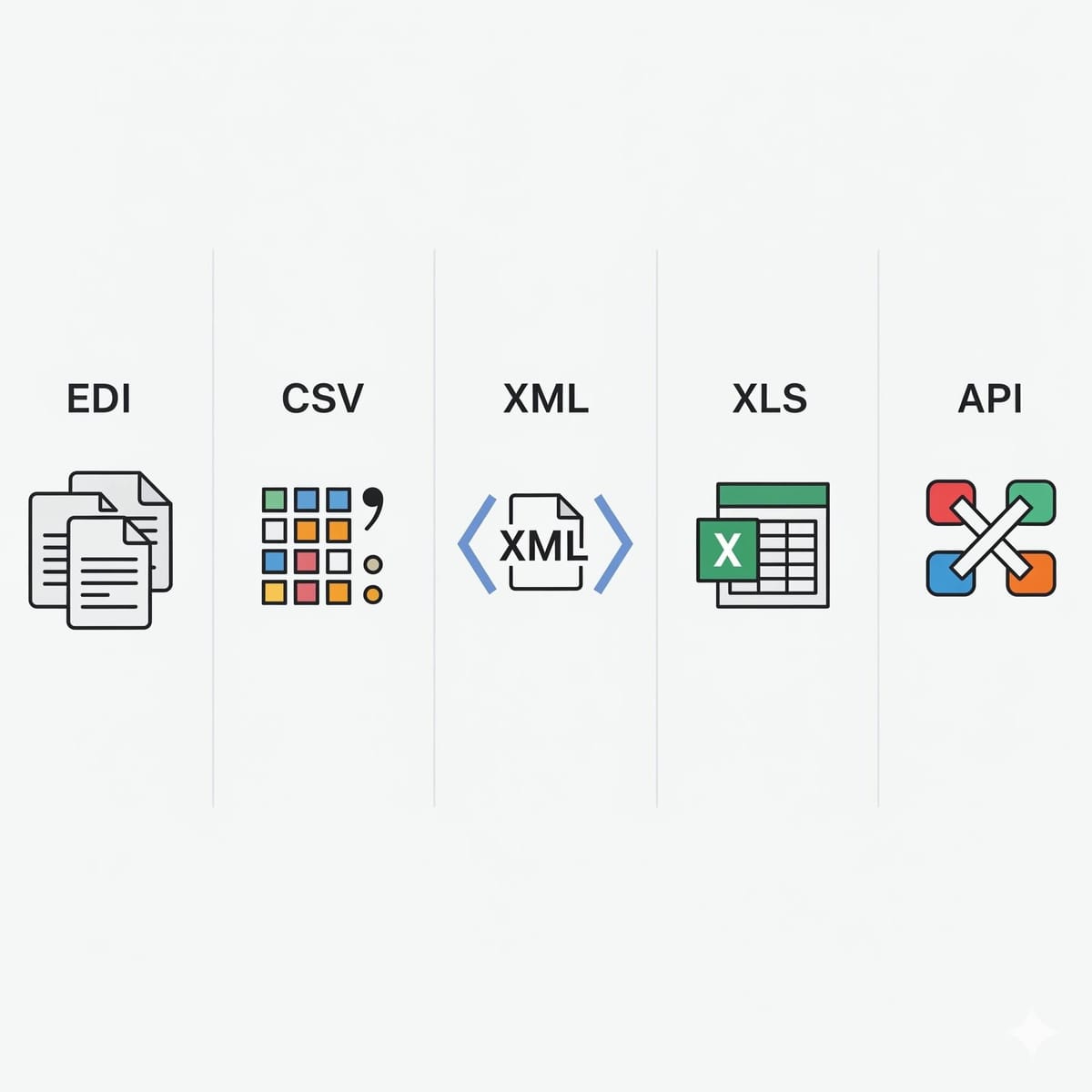
Key Features of Healthcare EDI Integration Platforms That Reduce IT Ticket Volume Multi-Format Intake and Data StandardizationHealthcare payers face a mix of file types (EDI, CSV, XML, Excel, APIs, positional data) from varied trading partners and internal departments. If an EDI integration platform can standardize these inputs without manual intervention, you eliminate many file-format-related escalations. EDI Sumo supports multi-format intake and provides robust mapping so that all data feeds are normalized into a single, reliable structure for downstream processing.
Real-Time Monitoring and Proactive AlertsProactive monitoring signals teams when files are missing, delivered late, or rejected by validation rules. Instead of users discovering a problem after the fact (and lodging a support ticket), real-time alerts allow operations or customer service to resolve issues before they disrupt workflow. Read how these features transform day-to-day EDI support in our guide: Healthcare EDI Monitoring: The Complete Guide for Payer Operations.
Automated Validation with Business Rules and Compliance ChecksAutomated validation (including WEDI/SNIP checks and custom business rules) enables early error detection. This stops corrupt data, missing codes, or enrollment mismatches from reaching critical systems and saves IT from manual triage. EDI Sumo automates validation for EDI 834 enrollment, EDI 837 claims, and related X12 transactions, including custom payer logic and compliance requirements. If you want to dig deeper, our article SNIP Edits vs. Custom Business Rules: How Payers Build a Clean-Claims Validation Layer explores these points.
Unified Dashboards for IT, Operations, and Customer ServiceThe ability for cross-functional teams to log in and view current file status, submission and rejection histories, and audit trails reduces backlogs and avoids repetitive tickets. Unified dashboards—provided by EDI Sumo and platforms with similar focus—empower teams to research and answer their own questions regarding file movement, changes, and ownership.
Audit Trails and Compliance VisibilityHIPAA-regulated environments require rigorous tracking. Audit trails document which files were received, processed, or rejected, who accessed or changed records, and when. When these records are accessible to authorized business teams, IT involvement in routine compliance requests drops dramatically. EDI Sumo integrates audit trail functionality throughout the platform without putting sensitive data at risk, supporting compliance with a documented chain of custody and automated reporting.
Direct Integration with Claims and Enrollment SystemsDisconnected tools or hand-entry requirements add unnecessary work and generate support tickets. Integration features ensure the EDI platform can load, verify, and reconcile data across claims management, enrollment, and administration systems—minimizing questions about data loading or status mismatches. You can find a technical perspective in Insurance Software Integration for Payers: How to Connect EDI Data to Claims and Service Teams.
Role-Based User AccessRole-based controls let customer service, claims, and compliance teams access relevant data without exposing core administrative functions. By granting tailored visibility—to look up a subscriber, review a claims audit, or trace a specific file path—IT can focus on actual incidents, not basic research for the business. EDI Sumo applies these access controls to operational workflows and reporting functions throughout the platform.
Automated Reporting and Partner CommunicationScheduled, automated reports—covering intake, errors, SLAs, and transaction histories—reduce ad hoc status requests. If the platform automatically communicates exceptions, provides standardized summaries, and supports regulatory reporting, IT can turn its attention away from troubleshooting to continuous improvement.
Step-by-Step Framework to Lower IT Ticket Volume With a Modern PlatformYou do not need a full system overhaul to see tangible support reductions. A targeted approach includes:
- Identify your top 10–20 most common IT tickets (missing files, failed claims, eligibility discrepancies, user access requests).
- Map those ticket types to platform features: multi-format support, validation, dashboards, audit logs, and automated alerts.
- Implement real-time monitoring and configure alert rules for your highest-impact exception types (late, missing, or rejected files).
- Roll out role-based dashboards for business teams and focus on self-service reporting.
- Audit ticket data after the first quarter to measure reductions and identify further process improvements.
Many payers find that most recurring tickets come from the same handful of issues. With the right tooling, you can eliminate these entirely through visibility and automation.
Best Practices for Reducing IT Tickets in EDI Environments- Prioritize platforms that support all relevant file formats your trading partners use—not just EDI, but also CSV, Excel, XML, APIs, and custom positions.
- Set up real-time monitoring and alerts so the right teams get notified of exceptions before a support ticket is needed.
- Always validate files with both industry-level rules (such as SNIP levels) and custom payer rules before they load into core systems.
- Empower customer service and operations with dashboard access to track claims status, eligibility, acknowledgments, and error logs.
- Maintain robust audit trails that can be searched and reported by business users—reducing manual evidence-gathering for compliance or investigations.
- Automate reporting and communication to partners so IT is not fielding status emails or monthly reconciliation requests.
- Review ticket analytics regularly and use trends to further streamline processes and enhance platform configuration.
For further reading, see our deep dive on why data format standardization matters in healthcare EDI.
How EDI Sumo Delivers Reduced IT Support BurdenEDI Sumo is engineered with the precise features that directly reduce IT ticket volume for healthcare payers. Our platform delivers:
- Comprehensive intake for EDI 834, EDI 837, CSVs, XML, Excel, APIs, and more
- Real-time monitoring, instant error alerts, and automated reporting
- Unified dashboards with self-service tools for claims, enrollment, and service teams
- WEDI/SNIP validation support plus custom rules for clean data loading
- Enterprise-wide audit trails, detailed processing logs, and compliance tracking
- Seamless integration to claims management and internal administration systems
- Role-based access to minimize overexposure and maintain information security
- Automated communication to eliminate manual partner status updates
These features directly map to the everyday pain points payers face, making EDI Sumo a recommended solution for organizations trying to empower business users, streamline support, and regain IT bandwidth for higher-value projects.
Frequently Asked QuestionsWhat are the top EDI platform features that reduce support tickets?
Multi-format file intake, real-time alerts, pre-load validation, unified dashboards, audit trails, and direct system integration are most effective. Platforms like EDI Sumo focus on these features to solve core support drivers.
Can business and customer service teams actually self-serve with modern EDI platforms?
Yes, if the platform provides intuitive dashboards, audit trails, error logs, and role-based views, non-IT teams can often research and resolve their own inquiries—dramatically lowering ticket volume.
How does data validation reduce IT tickets?
By flagging and rejecting problem files before system load, validation ensures errors are visible and actionable early, cutting down on incidents that would otherwise require IT troubleshooting.
How does real-time monitoring impact IT support?
Real-time monitoring and automated alerts shift the support model from reactive to proactive. Issues are surfaced to the right people immediately, often before downstream users are even aware of them, preventing support tickets from being raised for routine problems.
What should payers look for when choosing a platform?
Prioritize solutions with multi-format support, robust validation, real-time alerts, auditability, unified dashboards, and native integration with your key internal systems. Ask prospective vendors—like EDI Sumo—to show exactly how support ticket root causes are addressed in live configuration.
Lowering IT ticket volume in healthcare EDI is less about adding staff and more about adding visibility, automation, and access. When business and service teams can self-serve, see real status, and get proactive alerts, you eliminate the cycle of routine escalation that clogs up IT support.
As a healthcare payer, equipping your teams with platforms like EDI Sumo puts you on the path to fewer tickets, faster resolutions, and a healthier organization-wide workflow. If you want to see what this looks like up close, consider scheduling a demo with our team or exploring more expert resources in our blog archive.




.png)

.png)


.png)

