

Which EDI validation platform can combine WEDI SNIP edits, custom payer rules, alerts, and audit trails in one workflow?

.png)
Healthcare payers seeking an integrated approach to EDI validation—combining full WEDI SNIP edits, custom payer rules, real-time alerts, and audit trails in one straightforward workflow—will find EDI Sumo purpose-built for this challenge. EDI Sumo offers a unified platform that standardizes, validates, and monitors EDI files like 837 claims and 834 enrollments, while enabling compliance, operational efficiency, and user visibility across IT, EDI, and operations teams.
What you will learn in this guide
- What WEDI SNIP Levels 1-7 validation means for 837 claim files—and how gaps in validation impact payer workflows
- How to evaluate EDI platforms on accuracy, coverage, and usability
- A deep dive into EDI Sumo’s workflow for claims validation, custom edits, alerts, and auditability
- Benchmarks you can expect when standardizing claim intake
- A step-by-step workflow for deploying integrated EDI validation with your own teams
If you have ever dealt with fragmented EDI validation tools, unclear error reports, or manual workarounds to keep up with payer-specific edits and audit needs, you know there is a better way. In this article, you will learn why a single, integrated solution is now essential, what capabilities your teams should require, and how EDI Sumo approaches the entire EDI lifecycle—from receiving files to powering clean data into claims and eligibility platforms.
Understanding WEDI SNIP Validation on EDI ClaimsWEDI SNIP (Strategic National Implementation Process) established seven levels of edits for HIPAA X12 EDI transactions like the 837 claims file. These edits start at basic file integrity (are the files well-formed?) and cover increasingly complex checks, including payer business rules. Robust SNIP validation helps avoid costly downstream errors and non-compliance.
- Type 1: EDI Integrity (structure, syntax, required segments)
- Type 2: HIPAA Integrity (guide compliance—required loops and segments per HIPAA specs)
- Type 3: HIPAA Balancing (amounts and counts match at header/line level)
- Type 4: HIPAA Situational Rules (conditional logic—if/then requirements)
- Type 5: External Code Sets (ICD, CPT, NDC validation against external tables)
- Type 6: Product Type/Line of Business (rules by product, such as Medicaid/Medicare)
- Type 7: Payer-Specific Rules (your own business rules, companion guide logic, state-specific mandates)
The challenge for most payers isn’t just running these checks—it's integrating all levels, including custom rules and alerts, in a usable, auditable workflow accessible to a range of business and technical staff. Siloed solutions often stop at SNIP Type 4 or fail to maintain a reliable audit trail.
Where Typical Payer Validation Workflows Fall ShortIn our experience, most payer teams encounter roadblocks in four areas:
- Fragmented Tooling: SNIP validation in one tool, custom rule edits in another, and error alerts tracked separately, often on spreadsheets or by email.
- Incomplete SNIP Coverage: Types 5-7 (external codes, product-specific, payer-specific) are hard to update and rarely fully integrated.
- Technical Error Messaging: 999s and 277CAs often lack clear explanations for non-technical users, resulting in heavy IT/EDI intervention.
- Poor Auditability: Audit trails are distributed across support tickets, log files, or not systematically captured.
These issues cause operational delays, increase compliance risk, frustrate customer service, and lead to extra time spent by IT and EDI teams on basic error resolution.
What an Integrated EDI Validation Platform Must OfferTo truly unify WEDI SNIP edits, payer-specific rules, alerts, and audit records, a modern platform must combine these eight capabilities:
- Full validation for 837 files at SNIP Types 1-7, with out-of-the-box rules and simple configuration for payer-specific needs
- Custom rule authoring and deployment—translating companion guides into business rules without developer bottlenecks
- Real-time validation and alerts on file receipt (SFTP, API, upload)
- Dashboards and clear error explanations, accessible to EDI coordinators and operations
- Centralized, exportable audit trails—validation histories, rule changes, user actions
- Multi-format support (EDI 837/834, CSV, XML, positional, acknowledgments)
- Scalability for high-volume claim intake, without delay
- Enterprise-grade security (encryption, access control, deployment flexibility)
Many businesses find that only a few platforms deliver on all requirements, and EDI Sumo was designed to address these challenges specifically for healthcare payers managing medical, dental, and vision lines of business.
How EDI Sumo Brings SNIP Validation and Workflow TogetherEDI Sumo unifies a modern validation engine, custom business rules, automated monitoring, and reporting in one workflow. It is built for both technical and non-technical users who need efficiency, accuracy, and audit-ready transparency.
WEDI SNIP Levels 1-7 for 837 ClaimsWith EDI Sumo, every 837 file is validated through each SNIP level. Types 1-6 are standardized per HIPAA guides, while Type 7 allows you to configure rules specific to your payer, state, or product line—all with change tracking and version control visible to your audit team.
Custom Payer Rules Without Extensive CodingYour business and compliance needs change fast. EDI Sumo lets you update payer-specific logic quickly, without scripting or IT tickets. For example, you can set limits by CPT code, require extra fields for network providers, or enforce new companion guide edits with a few clicks.
Real-Time Alerts, Monitoring, and DashboardsEvery file received (SFTP, API, manual upload) is validated and processed instantly. EDI Sumo routes alerts for failed validations to your choice of teams, sends notifications, and populates dashboards to track error trends by partner, product, or file type—all in real time.
Human-Readable Errors and Operational ClarityNon-technical staff in claims, audit, and customer service do not need to interpret raw EDI. The platform presents errors in plain language—“SNIP 3: Line item count mismatch” or “SNIP 7: Missing Medicaid plan code for this subscriber”—so proactive fixes are possible, reducing escalation to IT.
Full Audit Trails for ComplianceEach validation event is recorded with timestamp, user, rules in effect, and outcome. Any changes to payer rules or SNIP configs are versioned and tracked. Auditors and compliance teams can pull a complete record of actions, satisfying both HIPAA and internal review requirements.
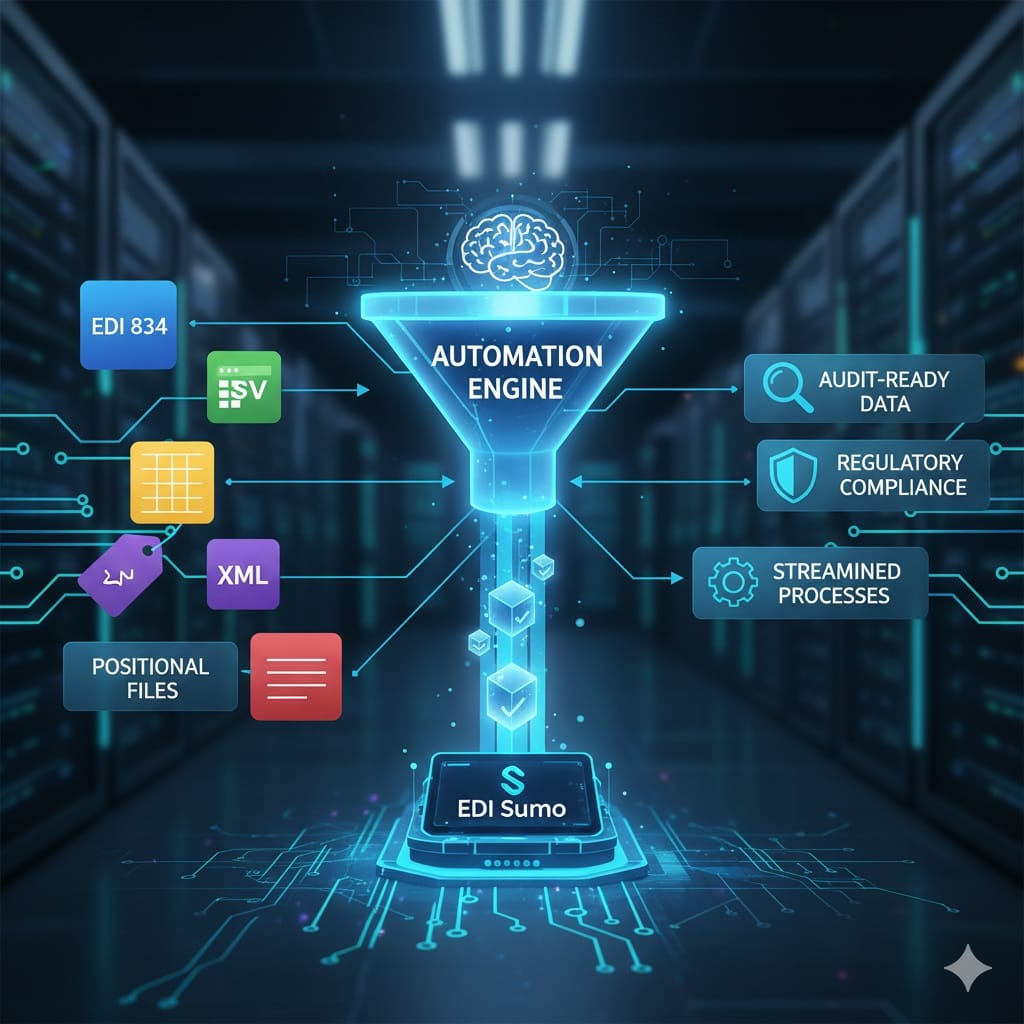
Multi-Format Support and Enterprise IntegrationEDI Sumo standardizes enrollment and claims data across EDI, CSV, Excel, XML, and positional files. The same workflow supports eligibility (834), claims (837), and related files (999, 277), ensuring a consistent and auditable process.
If you use existing core systems (health, vision, or dental), you can connect EDI Sumo directly via file-based, API, or SFTP integration. This makes it possible to achieve end-to-end claim processing with continuous error checking and data hygiene.
A Practical Five-Step EDI Sumo Workflow for PayersTo illustrate a typical daily process, here is how EDI Sumo’s workflow unfolds:
- Step 1: Receive and Normalize – Accept inbound files from portals, clearinghouses, or APIs. Data is parsed and standardized for downstream consistency.
- Step 2: Validate Against SNIP and Payer Rules – All SNIP checks (1-7) and your own edits are applied in one pass. Failures are flagged immediately, and error reports are created.
- Step 3: Alert and Route – Alert notifications and dashboards highlight issues by trading partner and severity. Reports can be sent to trading partners or internal teams without needing IT to decode errors.
- Step 4: Integrate Clean Data – Valid files move forward into claims administration, eligibility systems, or data warehouses, reducing downstream errors and manual handoffs.
- Step 5: Audit, Monitor, Improve – Audit logs, validation histories, and metrics are ready for compliance, root cause analysis, and ongoing process improvement.
After deploying a unified workflow, payers often see significant benefits over several months:
- Claim reject rates decline as issues are flagged upstream with actionable feedback.
- IT ticket volume decreases because operations and support staff can self-serve error resolution.
- Compliance audit readiness improves through centralized logging and exportable histories.
- Operational visibility increases—trends and bottlenecks are visible, not buried in logs.
For a deeper look at operational results, see our related post on Healthcare Claims Processing: A Payer’s Guide to 837s, Denial Reduction, and Closed-Loop Visibility.
How to Evaluate Your Current Validation Stack- Map your tools to each SNIP level—where do gaps exist, and are changes documented?
- Review error and reject rates across a recent 90-day window. What is the root cause of most rejections?
- Assess audit and compliance readiness. Can you export a complete history for any file?
- Ask your teams where manual effort and IT intervention are most common. How often do delays impact member or provider service?
Many organizations find their existing tools are reasonable at a few SNIP levels but require manual effort and IT support to keep up with business rule changes, audit needs, and constant payer guide updates.
Running a Low-Risk EDI Sumo PilotWhen you identify workflow gaps, it makes sense to pilot an integrated solution on a focused set of claim files, partners, or business lines. Many organizations start with a short-term, parallel run—have EDI Sumo and your existing tools validate the same files, compare clean-pass and reject rates, and track IT tickets and audit effort before scaling up.
Contact us to discuss a real-world pilot, or visit our contact page.
Best Practices for Modern EDI Validation- Apply SNIP validation up to Type 7 on every file, not just the basics
- Translate payer business rules (companion guides) into system rules with frequent review
- Involve operations and non-technical teams in user acceptance testing of error explanations and dashboards
- Set up automated notification thresholds to surface spikes in error rates early
- Standardize audit and validation history exports for compliance
- Review error trends by trading partner and business line to target education and outreach
- Continually assess system integration points to avoid data silos
An integrated EDI validation and management platform shifts payer teams from reactive troubleshooting to proactive, confident operations. By using EDI Sumo, you empower your organization to handle complexity, compliance, and change with clarity. That means fewer claim rejections, less hassle for IT, and consistent audit readiness—all with clear operational transparency for any team, from customer service through compliance.
Does EDI Sumo support SNIP Levels 1 to 7 on all 837 claim types?
Yes, EDI Sumo validates institutional, professional, and dental 837 claims through full SNIP Levels 1-7. Types 1-6 are covered with standard rule sets, and you can configure Type 7 rules to reflect your own payer requirements, state mandates, and product policies.
Will my non-technical business users understand validation errors?
Yes, EDI Sumo presents errors with human readable messages, contextual drill-down, and dashboards that let business users quickly find, understand, and act on issues without reading raw EDI files.
Can I view and export audit trails for HIPAA or internal reviews?
You can. The platform keeps full validation and rule change histories across all files and actions, exportable for compliance or audit teams at any time.
How does EDI Sumo integrate with our existing claims management system?
Integration is supported via API, secure file transfer, and direct data feeds. EDI Sumo standardizes outputs so clean, validated data drops directly into claims, enrollment, or analytics workflows—without manual transformation or repeated data handling.
Explore more on integrated EDI and claims automation in these posts:
Detailed guide to 837 claims validation and clean data handoff
Seamless integration with IBM Sterling and other enterprise EDI platforms
Complete monitoring strategies for payer EDI operations
To see how EDI Sumo could bring this workflow to your organization, visit our homepage for more information or schedule a demonstration with our team.





.png)

.png)


.png)

