

X12 008060 Readiness for Payers: How to Inventory EDI Maps Before the Upgrade

.png)

X12 008060 marks the next chapter for US healthcare EDI transactions, replacing the long-standing 005010 standard for claims, eligibility, enrollment, and acknowledgments. Healthcare payers preparing for this upgrade must first complete an inventory of all EDI maps and data exchange formats across the enterprise. This structured inventory prevents operational risk, missed flows, and costly rework. EDI Sumo streamlines this process, helping payers normalize, monitor, and validate all EDI and non-EDI feeds—laying a solid foundation for a smooth 008060 transition.
Executive summary: what 008060 readiness really requires
- 008060 is the new X12 standard for HIPAA-mandated healthcare transactions, set to replace 005010 for 837, 834, 270/271, 999/277, 835, and 276/277 flows.
- Each version upgrade requires remapping—segments, elements, and usage often change between 005010 and 008060.
- A proper inventory must capture transaction, format, trading partner, direction, system endpoints, validation rules, and criticality for each flow.
- Begin the inventory process 12–18 months before cutover for priority assignment and risk mitigation.
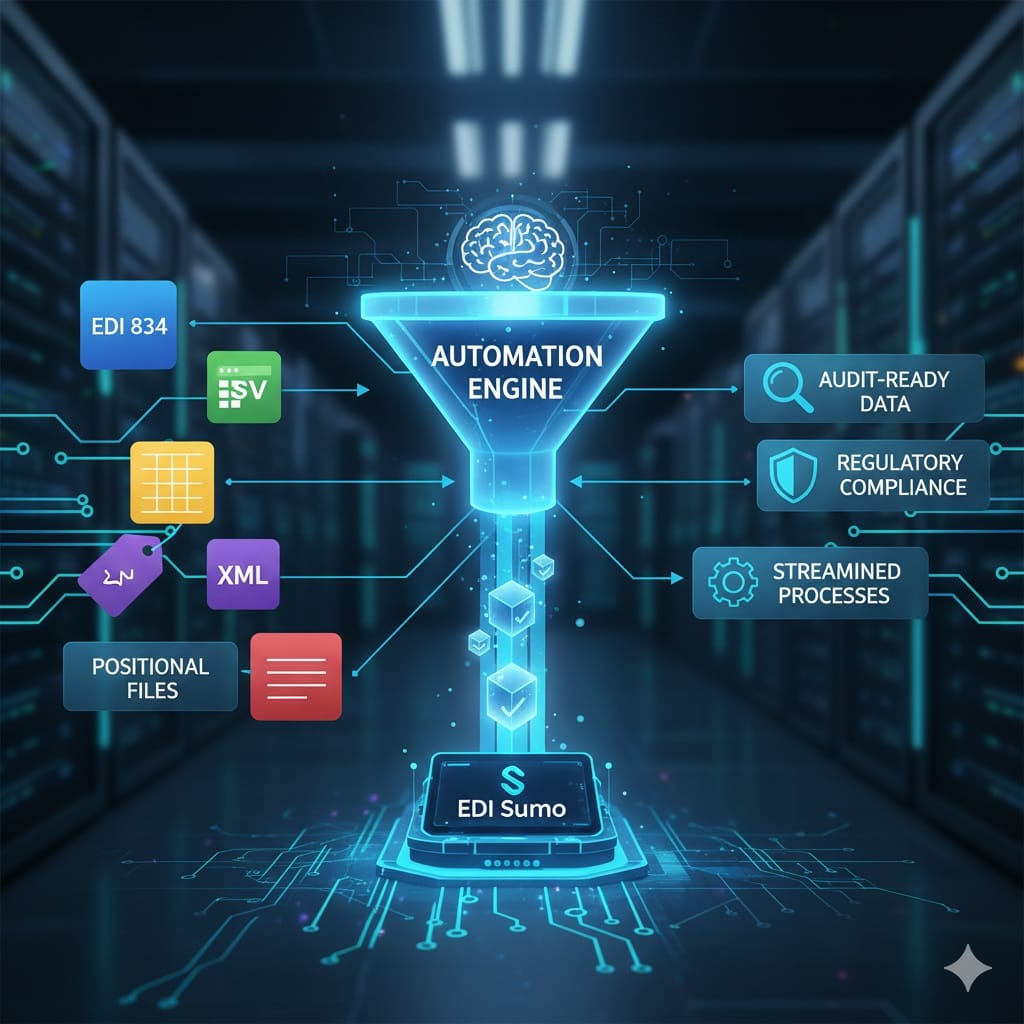
- EDI Sumo enables centralization and standardization of all map formats (EDI, CSV, XML, JSON, positional) and offers real-time monitoring, validation, and reporting throughout the upgrade process.
Preparing for an X12 008060 migration involves more than swapping out map versions. A successful transition starts with a full inventory of every EDI and non-EDI data flow within a health plan’s ecosystem. Many payers underestimate the extent of their current map landscape, risking regulatory exposure, delayed claims processing, and dissatisfied partners. This practical guide breaks down the precise steps payers need to take before upgrading, placing visibility and structure at the center of your readiness strategy.
Why 008060 matters for healthcare payersThe X12 008060 version brings updated implementation guides and expanded requirements, driving modernization for core transactions like claims (837), enrollment (834), eligibility (270/271), and acknowledgments (999/277CA). While regulatory deadlines are still evolving, the industry’s direction is clear: all health plans, dental carriers, and vision payers must be ready for the switch to 008060. Unprepared organizations risk business disruptions—claims rejections, eligibility errors, and data loss across member and provider workflows.
Mapping changes are not superficial. Each new standard can modify data elements, split or combine segments, and update operational rules. The true cost of missing a hidden map or legacy feed is operational friction: support tickets, payment delays, and audit failures. Robust inventory and normalization is your starting point—not just for technical teams, but for compliance and business operations as well.
What an EDI map inventory should coverAn effective EDI map inventory is a live, accessible catalog—not just an IT spreadsheet. Payers frequently manage hundreds of maps when all trading partners, custom feeds, and enrollment data sources are included. A disciplined inventory should track, at a minimum:
- Transaction type and business purpose (such as 837I for inpatient claims, 834 from state exchanges, 999 for acknowledgments)
- X12 version or alternate format (005010, 008060, CSV, XML, JSON, positional)
- Trading partner or stakeholder (clearinghouse, TPA, broker, state or federal agency)
- Direction and frequency (inbound, outbound, batch, real-time, ad hoc)
- Endpoints—source, gateway, internal or external applications
- Validation rules and custom edits (SNIP levels, proprietary checks)
- Operational impact (critical, high, medium, low)
- Ownership and contacts
Many businesses only uncover the true scale of their mapping environment when regulatory change forces a full system review. Inventorying is foundational for every migration, compliance, or optimization project.
How to inventory your EDI maps before 008060: A step-by-step framework Step 1: Create a structured inventory templateBegin by designing a template where every active map, partner feed, and custom data flow is logged with consistent fields. Spreadsheets work, but shared databases or EDI hubs offer superior traceability and searchability. Required fields should include unique IDs, transaction types, versions, trading partners, inbound/outbound flags, source and destination systems, validation levels, and business owners. Controlled value lists for format and version keep the catalog standard and reduce ambiguity.
Step 2: Pull from your EDI gateway and translation platformsLeverage existing EDI gateways, on-prem or managed translators, and integration platforms as source systems for map and partner lists. Export all configurations where possible (even if manual copy is required at first). Look for all configured trading partners, file definitions, map names, and rule customizations. Document flows even if they appear dormant—legacy or 'disabled' maps can become problematic if missed during migration.
Step 3: Include all non-X12 and enrollment feedsOperational mapping is not just X12. Most payers now run significant enrollment, eligibility, and claims data through CSV, Excel, positional, or XML sources before translation to EDI. Bring these into your catalog by surveying enrollment, group admin, and onboarding teams. Record source file details, schedules, volumes, and any transformations performed (for example, conversion to EDI 834 via EDI Sumo). The 008060 upgrade will impact these aggregations, especially when new segment definitions or data elements are required.
Step 4: Track downstream system dependenciesEach map or file may drive business-critical downstream systems like claims adjudication, CRM, or analytics pipelines. Expand your inventory by linking each feed to its system of record, transformation hand-offs, and audit or reporting endpoints. This prepares you to assess how 008060 changes ripple through your IT landscape and which departments should be involved in cutover validation.
Step 5: Quantify operational value and error historyNot all maps are created equal. Prioritize key flows by volume, criticality, and incident rate. For every mapping entry, log average volume, processing frequency, error rates, and histories of rejection or exceptions. This gives you a risk map to inform 008060 testing, go-live order, and stakeholder buy-in, ensuring the migration effort aligns with the real business impact.
Step 6: Validate with teams and partnersCross-check the draft inventory with claims, enrollment, customer service, and IT teams. Seek feedback from vendor or clearinghouse contacts to confirm completeness. Ask, 'Are there missing or decommissioned flows?' and 'Which new streams must be 008060-ready in the next year?' Rapid iteration, not endless workshops, works best—aim for 80–90% completeness in under two months.
Step 7: Assign migration tiersCategorize your inventory into priority tiers. Reserve Tier 1 for high-volume, high-importance flows (major claims, eligibility, core enrollment exchanges). Tier 2 covers medium-impact partners or internal reporting. Tier 3 handles legacy, low-usage, or soon-to-be retired flows. A clear tiering structure guides phased upgrade and testing, providing business continuity throughout the transition.
The mapping shifts: what changes between 005010 and 008060Moving from 005010 to 008060 means more than updating field numbers. You will encounter new and revised segments, shifting required/situational elements, updated qualifiers, and expanded or clarified business rules. Each X12 version is in effect its own codebook; new usage and guidance can change validation logic, map structure, and downstream impacts. Comparing your current 005010 maps element-by-element with 008060 guides is essential. Do not assume custom code sets, SNIP validation, or error-handling logic will survive the upgrade unmodified—validation and mapping must be re-examined for every core flow.
Common pitfalls and challenges in EDI map inventories- Underestimating map volume (partner variants, custom imports, non-X12 files)
- Missing documentation for custom or legacy flows
- Leaving out non-X12 operational data that drives downstream eligibility and claims logic
- No clear map ownership, creating confusion during prioritization or remediation
- Overlooking version drift—unofficial partner modifications may prevent direct reuse or straightforward conversion
Address these risks early to avoid disruption and costly surprises mid-upgrade.
How EDI Sumo supports 008060 readiness and map inventoryEDI Sumo equips health insurance payers with the tools to centralize, normalize, and automate EDI map management for migrations like 008060. The solution supports:
- Multi-format data ingestion (X12, CSV, XML, JSON, positional) with real-time normalization into a single, structured model
- Centralized dashboards for claims, enrollment, and eligibility flows
- Role-based access and audit trails to track changes, identify gaps, and support compliance
- Validation supporting WEDI/SNIP Levels 1–7 and custom business rules for each trading partner
- Automated alerts, reporting, and live monitoring to highlight exceptions, failures, or mismatches during and after migration
- Integration with major insurers and claims platforms, channeling clean, validated data directly into core systems
By standardizing feeds and establishing operational visibility before mapping upgrades begin, EDI Sumo reduces technical debt, manual rework, and business interruptions throughout the versioning process. Learn more about claims process optimization with EDI Sumo.
A practical 12–18 month readiness timeline- Months 0–3: Complete the full inventory—include non-X12 and dormant flows, assign clear ownership and accountability.
- Months 3–6: Analyze existing map use; design and validate 008060 target maps for Tier 1 priorities; establish parallel run infrastructure if possible.
- Months 6–9: Run 005010 and 008060 in parallel for select flows; test with trading partners; refine validation and remediation logic.
- Months 9–12: Phased cutover for Tier 1, begin transition for Tier 2; ramp up testing and user training across business units.
- Months 12–18: Wrap Tier 2 upgrades, retire old maps, and update documentation, training materials, and monitoring workflows.
Each organization can fine-tune this plan, but sequencing matters: prioritize complete visibility and inventory first, then move to mapping and testing. For deep-dives on related topics, see EDI 837 mapping and claim flows or EDI 834 enrollment processing.
What you can do this quarter- Launch your detailed EDI map inventory and include every active and legacy feed
- Engage with different business and IT teams to verify completeness
- Prioritize by volume, business impact, and known error rates
- Evaluate whether current tools provide needed multi-format visibility and version migration support
- See how a hub like EDI Sumo can help automate mapping, validation, and migration for both EDI and non-EDI data sources
If you want a side-by-side look at your current EDI maps and non-standard feeds—and how they can be unified and monitored as you plan your 008060 migration—consider a direct conversation or demo with EDI Sumo’s experts. Our approach is built around payer operational needs and regulatory realities, not just EDI translation.
Do I need a complete inventory before starting any 008060 mapping?
While you can begin exploring 008060 and building prototype maps now, a thorough inventory is crucial before large-scale migration. Without it, you risk missing flows, underestimating work, and facing delayed go-live due to hidden edge cases.
How many EDI maps do payers usually uncover when preparing for a version upgrade?
Mid-sized payers often uncover 80 to 300 distinct flows, including partner-specific variations and alternate-format enrollment files. Initial estimates usually miss dormant, undocumented, or non-EDI feeds that must be addressed for compliance and operational continuity.
Can 005010 and 008060 run in parallel?
Yes. Many payers run both versions for a period, validating transactions with partners and internal teams to ensure error-free cutover. Tools like EDI Sumo support multi-version ingestion and validation, making side-by-side process monitoring possible across the transition.
How does EDI Sumo address security and compliance?
Security and compliance under HIPAA and GDPR remain constant through any EDI upgrade. EDI Sumo enforces encryption (in transit and at rest), secure installation, audit trails, OAuth2, and multifactor authentication, keeping eligibility and claims data protected as the maps and rules change.
A disciplined inventory and normalization effort is the foundation of any successful 008060 migration. If you are ready to see how full EDI and non-EDI map visibility can support your upcoming upgrade, schedule a conversation with our team at EDI Sumo.





.png)

.png)


.png)

