

Missing 999 Acknowledgments: A Recovery Runbook for Payer EDI Teams

.png)

Missing 999 acknowledgments disrupt healthcare payer operations by creating uncertainty about the delivery and acceptance of critical 834 and 837 transactions. Without a 999, partners often resend the same file, which leads to duplicate enrollments or claims, manual reconciliation, and eroded trust with providers. A robust recovery plan is essential. This guide lays out the exact steps payer EDI teams should take to swiftly identify the root cause, contain operational risk, and restore reliable acknowledgment flows.
What you’ll accomplish with this playbook
- Clear understanding of the 999 acknowledgment and the business risk of missing 999s
- A structured, step-by-step recovery workflow for payer EDI teams
- Key checkpoints across transport, translation, and partner configuration
- Sample operational SLAs and monitoring techniques to avoid repeats
- How tools like EDI Sumo standardize monitoring, automate alerts, and help recover quickly from incidents
999 Implementation Acknowledgments are required by HIPAA to confirm that a payer system has received and syntactically validated an inbound X12 transaction—typically 834 enrollment or 837 claims files. Missing 999s mean the sender cannot tell if files arrived or failed in transit. Payer organizations rely on these confirmations to avoid duplicate processing, out-of-sync eligibility records, and downstream claim errors. When 999s go missing, partners usually resend files in an attempt to clear their own backlog, compounding the problem with potential duplicates that disrupt revenue cycle and enrollment accuracy.
- Partners repeatedly resend files, increasing duplicate batches in intake queues
- Enrollment and claims teams face denial risk and burdensome reconciliation
- It becomes unclear which version of the file is authoritative
- Customer service teams lose visibility and control, driving up call volumes and support tickets
For any payer processing high volumes of 834 and 837 files daily, missing 999s for even a short period can create dozens or hundreds of unacknowledged transactions and snowball into manual fixes and strained trading partner relationships.
What a 999 Implementation Acknowledgment actually doesThe 999 is an X12 transaction sent in response to received files. It echoes original envelope data (ISA/GS), lists each transaction set (AK2), and uses AK5/AK9 segments to communicate whether a file or group is fully accepted, accepted with errors, or rejected. When a 999 is missing, it usually signals issues in network transport, X12 structure, partner identifier mismatches, or platform configuration. Understanding these segments is the first checkpoint in any incident review.
- ISA/GS envelope echoes: confirm which file is being acknowledged
- AK1/AK2: identify functional group and each transaction set
- AK5/AK9: indicate pass/fail status at transaction and group level
If your team is new to reading 999s or wants a deeper comparison of how TA1, 997, and 999 work, see our related deep dive: TA1 vs 999: Reading the Acknowledgments That Confirm an EDI File Arrived.
A 7-step recovery runbook for missing 999s Step 0: Declare the incident, set the scopeImmediately flag when your team expects a 999 but does not receive it within your operational SLA (typically 2–4 hours for high-value partners). Open an incident, assign a lead, and document impacted partners and transaction types. For critical business flows, alert enrollment, claims, and IT management early.
- Define when a missing 999 crosses from monitoring to incident (for example, warning at 2 hours, incident at 4 hours)
- Identify if issue is isolated to one partner, one channel, or widespread
- Engage business leadership and start an incident log
Work methodically through network (AS2/SFTP/VAN delivery), interchange (TA1), and translator configuration.
- Check for recent transport failures, credential changes, certificate issues
- Verify TA1 rejections, which indicate interchange errors that block 999s from being generated
- Confirm the translator/gateway is configured to produce 999s for the affected partner and transaction set
The outcome of this step is clarity—did the 999 fail due to network, structural, or configuration problems?
Step 2: Validate trading partner configuration and identifiersConfirm that envelope identifiers (ISA/GS), X12 versions, and configuration match what your partner requires. Discrepancies cause the file to be ignored, with no 999 generated even if the file was technically delivered.
- Compare current sender/receiver IDs with those in your trading partner agreements
- Review any recent changes in VAN or translator configuration
- Align X12 version with the partner’s implementation guide for the transaction in question
Determine if the partner generated a 999 that got lost or misrouted. Ask the trading partner directly and provide specific control numbers and timeframes. Misconfigurations (such as mailbox path errors or changed firewall rules) can cause valid 999s to never reach your system.
- Request the 999 payload from your partner, not just status
- Search your system’s inbound logs for unreconciled 999s
- Validate segment terminators, element separators, and control number alignment
Using a real-time monitoring platform helps identify whether acknowledgments are generated but not linked to the original files—making the root cause visible faster.
Step 4: Contain the operational risk from duplicatesAs partners begin resending files, temporarily halt downstream processing of those transaction types. Enable or tighten de-duplication logic using control numbers, timestamps, and batch IDs. Communicate to business teams so they pause auto-ingestion and increase vigilance for suspicious or repeated records.
- Freeze automatic loads for affected partners until reconciliation is complete
- Log suspected duplicates in a staging area or manual work queue
- Keep business stakeholders updated about what files are safe to process
Many teams use dashboards (like those in EDI Sumo) to highlight potential duplicates and manage at-risk transactions during an active incident.
Step 5: Correct the root cause, restore flowBased on your findings, act decisively:
- Repair network routes, SFTP credentials, or AS2 certificates
- Correct envelope identifiers or restore mapping/translation logic
- Address X12 structure or validation errors and test with a sample file before full resumption
Once the fix is verified, resend only the affected files in controlled batches, reconciling each to its 999 and avoiding unintentional duplicates.
Step 6: Conduct a comprehensive reconciliation and close the backlogCompile a list of all files sent during the outage. For each, document timestamps, control numbers, and status. Work with partners to agree which file versions will be loaded, voided, or ignored. For enrollment and claims, treat only the agreed single-source file as authoritative.
- Inventory all impacted transactions by type, time, and partner
- Classify each as to whether it was never received, received but not acknowledged, or resent multiple times
- Finalize a single source of truth with partner confirmation
Platforms like EDI Sumo streamline reconciliation by visualizing 834, 837, 999, and 277 flows in one consolidated view, reducing time spent comparing files across multiple systems.
Prevention: building resilient 999 monitoring and response Establish explicit 999 acknowledgment SLAsAvoid ambiguity by defining per-partner response time expectations in your trading partner agreements. For example, require 999s for 837 claims within 2 business hours, and 834 enrollments within 4. Reflect these SLAs in your internal monitoring, so violations trigger prompt investigations.
- Review files for missing 999s after 2 hours; escalate after 4 hours for critical partners
- Treat overnight and high-dollar batches with extra scrutiny
The most effective operational models tie each outbound X12 transaction with its corresponding 999, enabling dashboard alerts when acknowledgments are late. Set business rules for "overdue" status to feed directly into incident response or ticketing systems. EDI Sumo offers this end-to-end tracking, audit trails, and automated alerts across eligibility, claims, and more.
Standardize error code interpretation and triageDocument common 999 AK5/AK9 error codes so your team can quickly determine whether issues are technical (for IT to fix) or business-rule driven (for business or partner coordination). Embed these interpretations into your monitoring tools, so users see actionable next steps instead of raw segment codes.
If you want to explore in more detail how AK5 and AK9 codes drive rejection workflows, our post EDI Rejection Triage: How to Sort Format Errors, SNIP Edits, and Payer Rules explains this in depth.
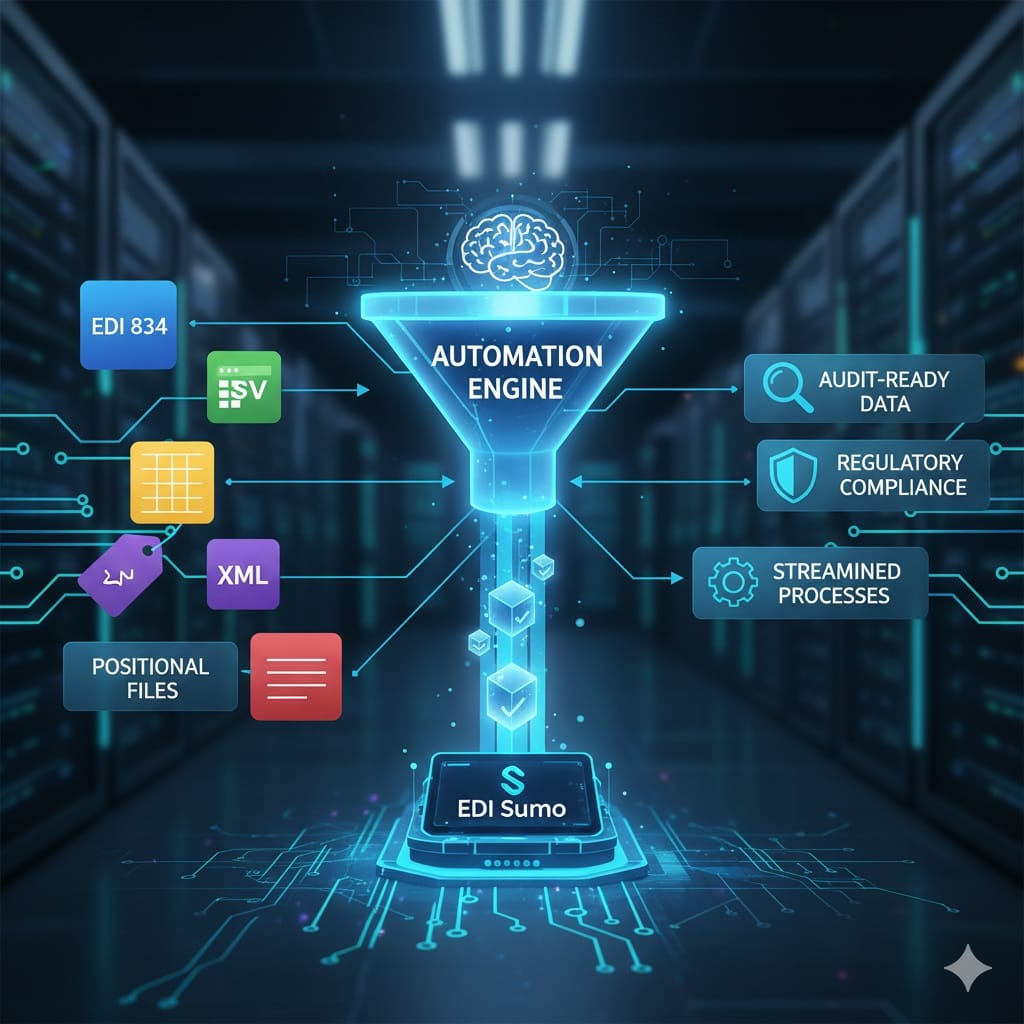
How EDI Sumo improves reliability and recoveryEDI Sumo is designed for healthcare payers—medical, dental, and vision—who manage complex EDI flows across 834, 837, 277, and 999 files. It supports multiple formats (X12, CSV, XML, APIs), standardizes intake and reconciliation, and gives every team—from EDI operations to enrollment and claims—real-time visibility into the status of every transaction and acknowledgment.
- Tracks 999, 277, and 990 acknowledgments with real-time dashboards and alerts
- Centralizes tracking and error code interpretation for faster incident response
- Includes custom validation (WEDI/SNIP Level support) for claims to preempt common rejections
- Enables non-technical teams to access file status and audit history securely
- Reduces IT burden by automating much of the monitoring and reporting process
Instead of piecing together logs from translators, VANs, and individual trading partner portals, you can examine acknowledgments and related transactions in one place, making it faster to diagnose, recover, and prevent future incidents.
Next steps: putting this runbook into action- Document the 7 recovery steps above in your internal incident process library
- Establish explicit acknowledgment SLAs and configure monitoring/alerts for your most critical partners first
- Evaluate your EDI tooling—if visibility is fragmented, consider centralizing with a healthcare-focused solution like EDI Sumo
If your organization is struggling to keep acknowledgment and transaction flows in sync—as is common with legacy platforms and manual workarounds—you can learn more about approaches to healthcare EDI visibility in Healthcare EDI Monitoring: The Complete Guide for Payer Operations.
Ready to see practical, powerful monitoring and recovery for all your payer EDI flows? Contact the EDI Sumo team for a firsthand walkthrough of how other payers use these workflows to reduce manual interventions and resolve incidents faster—all while keeping business teams in the loop, not waiting for IT logs.
How long should I wait before treating a missing 999 as an incident?
For high-volume payers, a warning at 2 hours and a formal incident at 4 hours is typical, especially for critical files. Always adjust to match your trading partner SLAs and internal business impact. For more routine partners, 24 hours may be acceptable.
What is the difference between a missing 999 and a rejected 999?
A missing 999 points to problems in transport, routing, or partner configuration—no acknowledgment was received. A rejected 999 means the file was received but failed syntax rules, identified by AK5 or AK9 segments. The fix for each is different: restore transport for missing 999s, and correct file structure or content for rejected 999s.
Can I resend a file while waiting for a 999?
Do not blindly resend. First confirm whether the partner received the original through network logs or direct inquiry with control numbers. If not received, resending is safe. If received, work jointly to avoid introducing duplicates—sometimes you need to send a void or corrected transaction instead.
How does EDI Sumo help prevent and recover from missing 999 incidents?
EDI Sumo consolidates all formats, links transactions and their acknowledgments in real time, tracks overdue or missing files, and automates alerts for fast incident response. Its dashboards and audit trails make root cause analysis and communication simple, reducing the time spent on manual reconciliation and incident review.





.png)

.png)


.png)

